Client

Confidential (NDA)

Company

PaymentX

Project Type

B2B Fintech · Two-sided marketplace

Year

2024

PaymentX

A two-sided B2B payments marketplace, designed end to end: research, architecture, both apps, and the design system underneath.

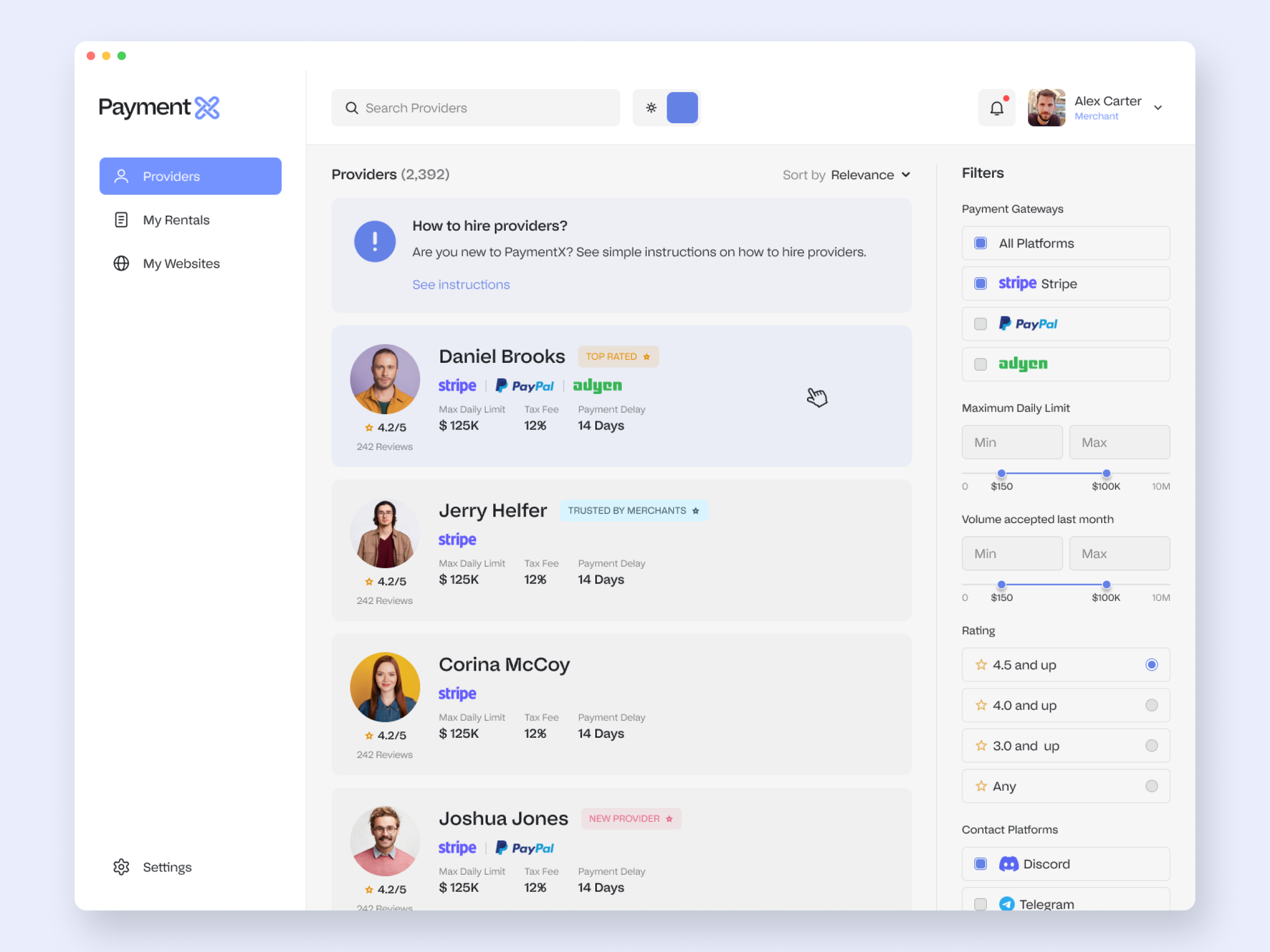
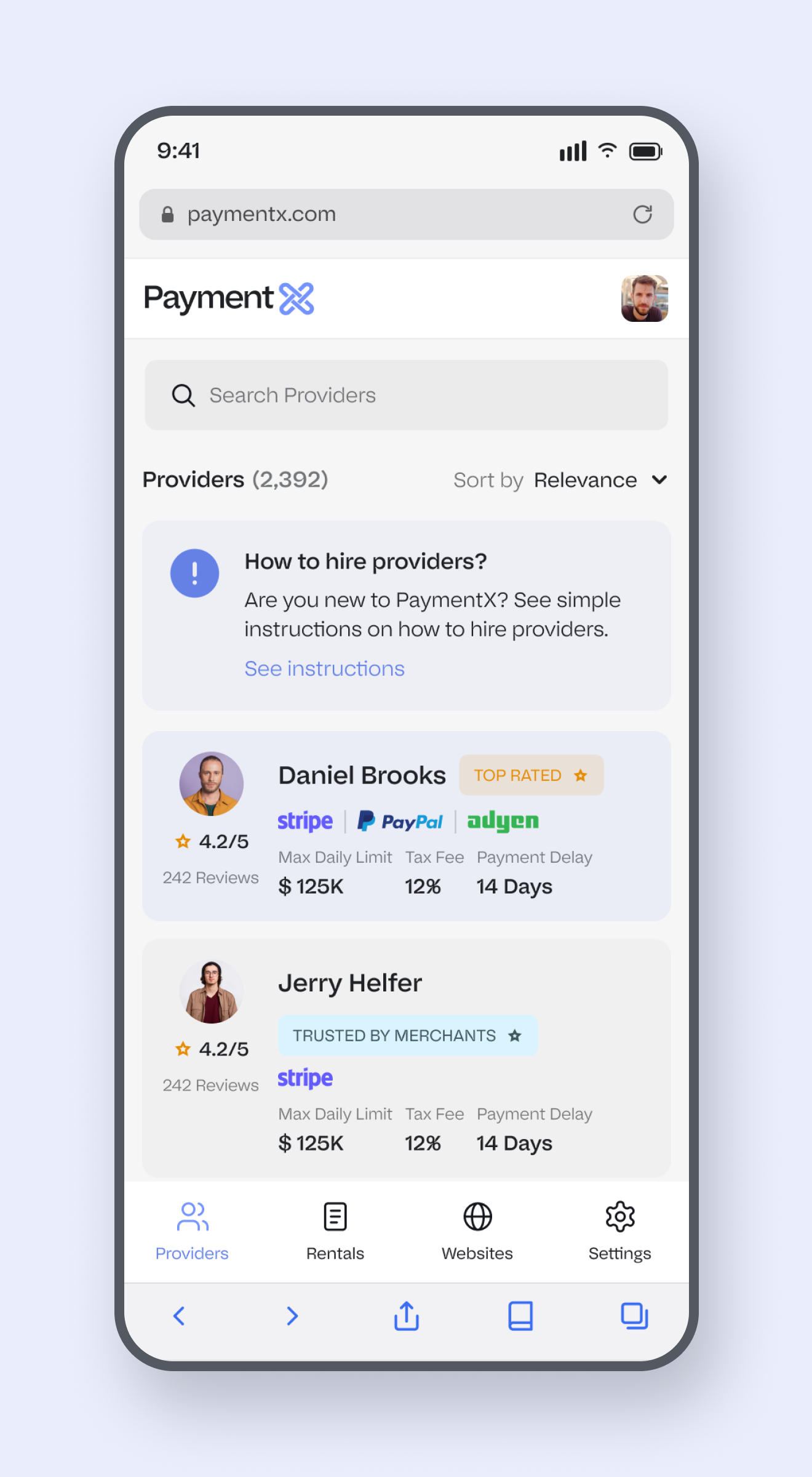
The merchant side of PaymentX: a searchable directory of payment-capacity providers, with trust signals, supported gateways and a full filter rail.

PaymentX is a two-sided B2B payments marketplace I designed end to end as the sole product designer: the research and IA, both apps (merchant and provider) in light, dark and mobile, and the design system underneath.

There was no obvious product to copy, so the work ran the whole length of the problem, from framing who it was for to architecting the system to shipping the tokens. This case study follows that arc.

Architecture from zero

A full sitemap and IA for a product with no existing template to copy.

Two-sided marketplace

Two apps, merchant and provider, designed as one connected system.

Research-led

Brief, personas, journeys, task flows and success metrics framed the work.

Light, dark and mobile

Every core screen designed across themes and breakpoints.

Design system

A three-tier token system and component library underneath every screen.

State coverage

Pending, accepted, declined, empty, warning. States as first-class work.

What PaymentX is

PaymentX sits between two groups that mainstream processors do not serve well: businesses that need payment capacity, and providers who have their own gateway accounts with spare capacity to share. (Concretely, that often means high-risk merchants who hit limits with Stripe, PayPal or Adyen.)

A merchant browses providers, filters by gateway, limit, volume and rating, rents capacity, and allocates that provider's accounts across their own websites with hard spend caps and a live ledger. A provider lists capacity, targets specific merchants, sets terms, and watches it earn. Both sides share one source of truth for every transaction.

Stripped of the domain, it is exactly what serious B2B SaaS looks like: a vendor marketplace, an allocation tool and a billing dashboard sharing one spine. That is the lens I designed it through.


My role

I was the sole product designer and owned the whole thing: the research and IA, the user flows for both sides, every screen across light, dark and mobile, the design system, and developer-ready specs. There was no PM handing me requirements and no existing UI to extend.

Being honest about the ending: it was a real client engagement that ended before launch, so I was never fully paid and there is no verified usage data. That shapes how I frame the research below. The personas and metrics are assumptions to validate, not findings, and I have labelled them that way rather than dressing them up as research I did not run.

Research & IA

  • Project brief

  • Personas (merchant + provider)

  • Two user journeys

  • Task flows

  • Success metrics

  • Sitemap & data model

Product, both sides

  • Merchant app

  • Provider app

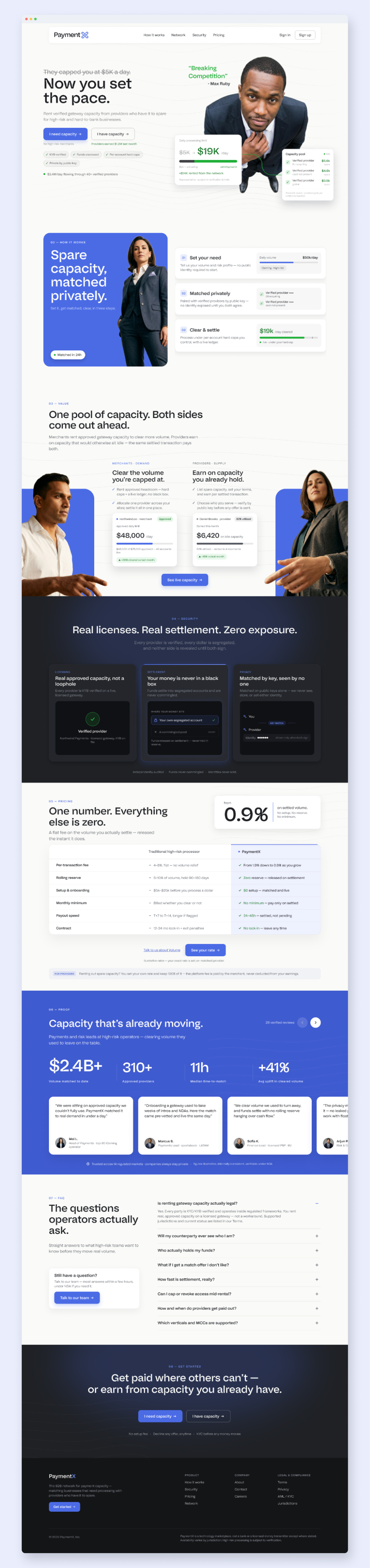
  • Public site & auth

  • Light, dark & mobile

  • System overlays & states

System & craft

  • Three-tier design tokens

  • Component library

  • Wired prototypes

  • Developer-ready specs


1. RESEARCH & FRAMING

Framing the problem before the pixels

A real client brief, but no users to test with yet. So I did the upfront thinking out loud: who it is for, what they feel, how they move, and how we would know it worked, framed honestly as assumptions to validate.

The brief

I started by writing the problem and the product answer in plain language, then turning them into four design goals the whole product had to serve. The constraints note is deliberate: it states up front that this was a real but unlaunched project, so there is no usage data.

Problem, product answer, and four design goals (trust without a track record, terms before commitment, control at account level, everything auditable), with an honest constraints note.

Who it is for

Two personas, because it is a two-sided market: Alex the merchant, who needs capacity and fears losing it, and Paula the provider, who has spare capacity and guards her account standing. Each one is framed as an assumption derived from the brief, not field research.

Alex (merchant) and Paula (provider): goals, frustrations and what each needs from the product. Honestly labelled as assumptions to validate.

How they move, and how they feel

I mapped both sides as emotion-led journeys, because the real design target here is a feeling: turning distrust into a sense of control. Every opportunity in the bottom row maps to a mechanism I went on to design.

Merchant: "my account just died" to "I can scale" (skeptical to invested).

Provider: "idle capacity" to "compounding reputation" (cautious to invested). Two opposing emotional arcs the product has to serve at once.


The core task flows

Three flows carry the product. I drew the decision points and the loops explicitly, because the failure paths (a declined offer, an unverified DNS record, a cancelled rental) are where products usually fall apart. They were designed, not patched in later.

Rent capacity, add a website + configure DNS, and cancel a rental. Diamonds are user decisions; the loops are first-class, so a rejection or a failed check never dead-ends.


How we would know it works

I closed the framing with the measurement plan: a North Star and the metrics that would tell us each design goal was landing. The instrumentation note keeps it honest. With no live data, these are targets to validate, not results.

A North Star (successfully processed volume routed through PaymentX) plus activation, trust and retention metrics, each tied back to a design goal.


2. ARCHITECTURE

The sitemap was the design

Before any screen, the real problem was deciding what the product even was: which objects exist, how they connect, and which journeys run between them.

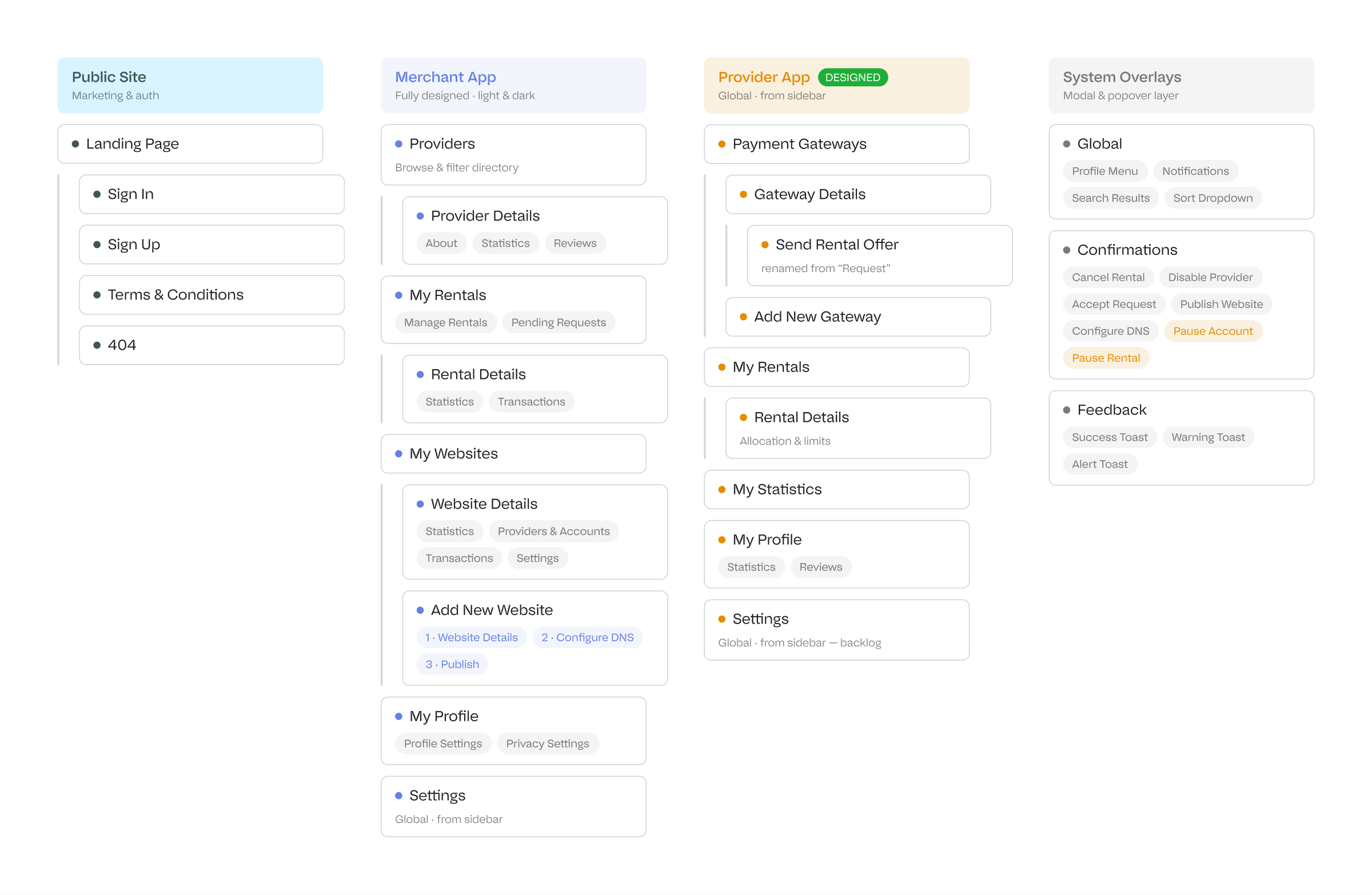
The full IA across the public site, both apps and the overlay layer. Tabs and wizard steps are surfaced as chips, so the map shows the real product surface rather than hiding it behind navigation.

The core insight was that PaymentX is really four objects in a chain: a merchant rents capacity from a provider, that capacity is a set of gateway accounts, and those accounts get allocated to the merchant's websites. Almost every screen is a different view onto that one relationship.

Four objects, one chain. Once I had this model, the navigation, detail pages and tables fell out of it instead of being invented one by one.

Two decisions shaped the rest. I put allocation and limits on the website object rather than on the rental, because the website is the unit a merchant actually reasons about, and it kept the busiest, money-moving screen legible. And I modelled provider capacity as discrete gateway accounts rather than one pooled number, because per-account control and live spend tracking are the things both sides need to see.


3. MERCHANT - DISCOVERY

Browsing & Filtering Providers

The merchant's first job is to find the right provider, so the directory has to scan fast and the filter rail has to map to how merchants actually decide.

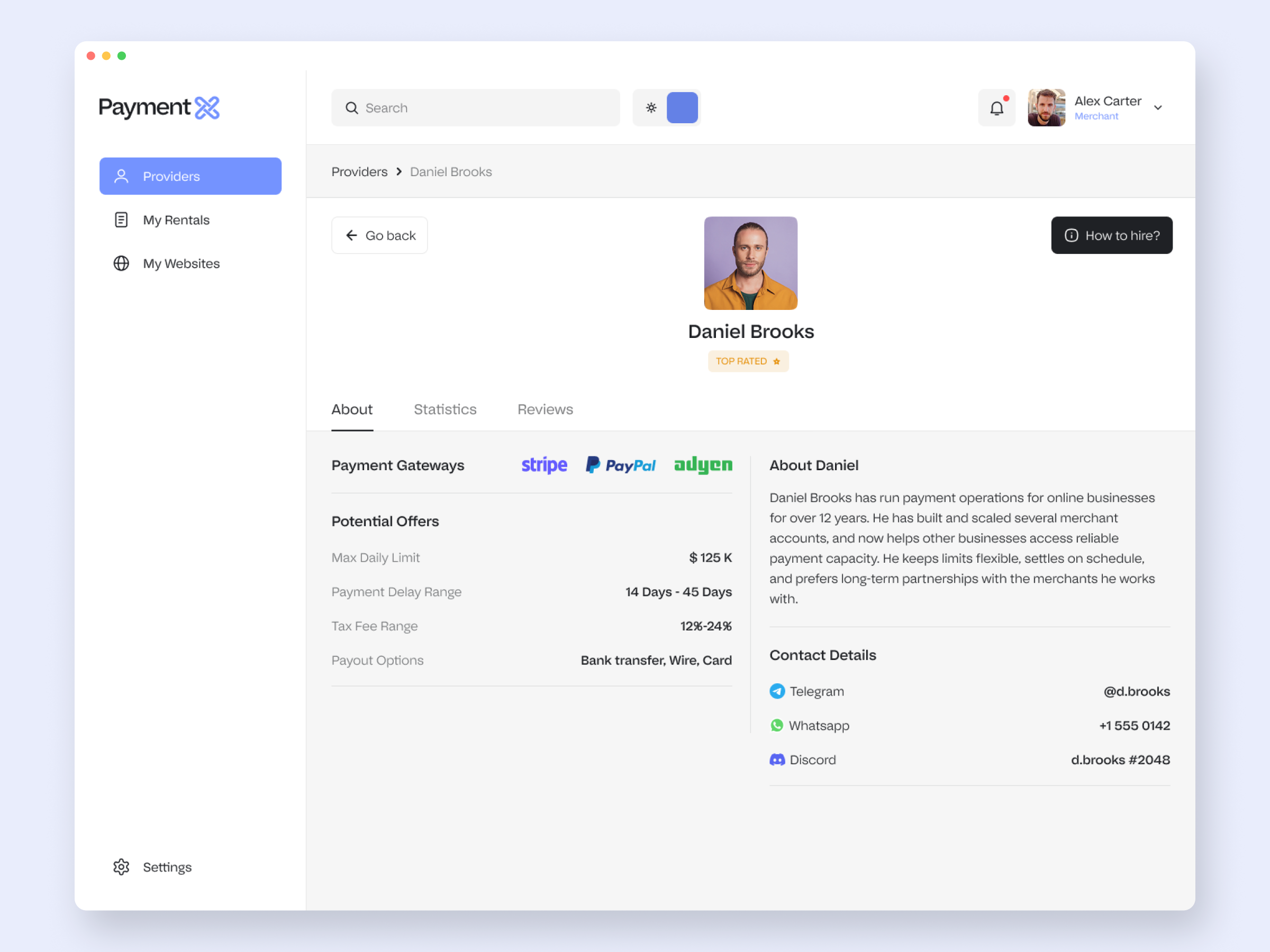
Each card leads with the decision signals: rating, supported gateways, max daily limit and payment delay. Trust is built into the scan with badges and verified stats, rather than buried in detail pages. Open a provider and the detail page has everything needed to commit.

Provider detail, About tab: supported gateways, the offer (limit, payment delay, tax fee), payout options and direct contact.


4. MERCHANT - TRUST

Proving a Provider is Real

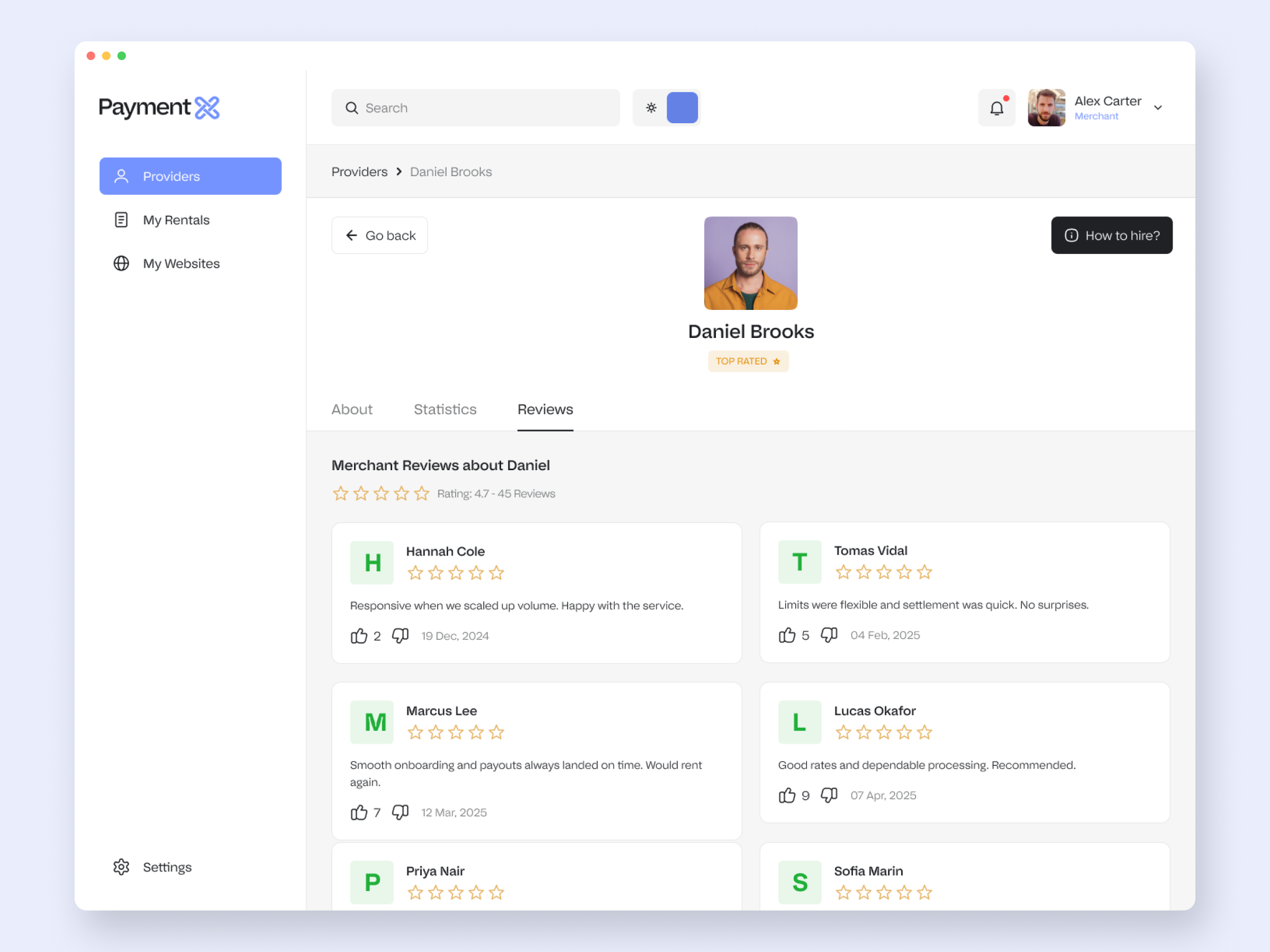
Merchants are about to route real money through a stranger, so I treated trust as a property of the object model: the same provider surfaces evidence at every level, from a badge to a performance history to merchant reviews.

Monthly volume and a performance history with a hover tooltip.

Merchant reviews with ratings, helpful votes and a composer.


5. MERCHANT - CORE LOOP

The Rental Lifecycle

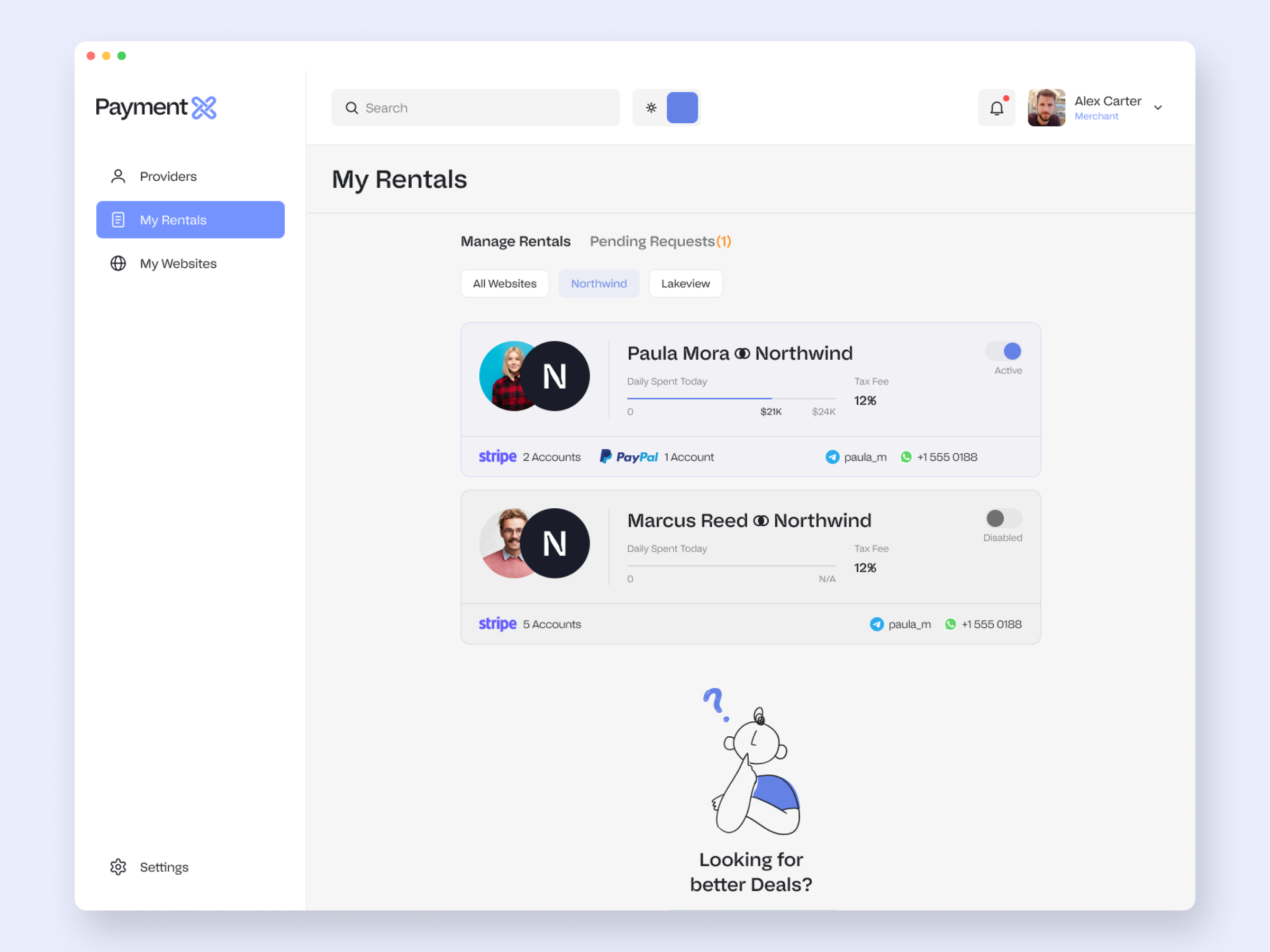
A rental is the live contract between a merchant and a provider. It moves through pending, accepted and declined, with both sides able to act, so the interesting work is the state machine, not the layout.

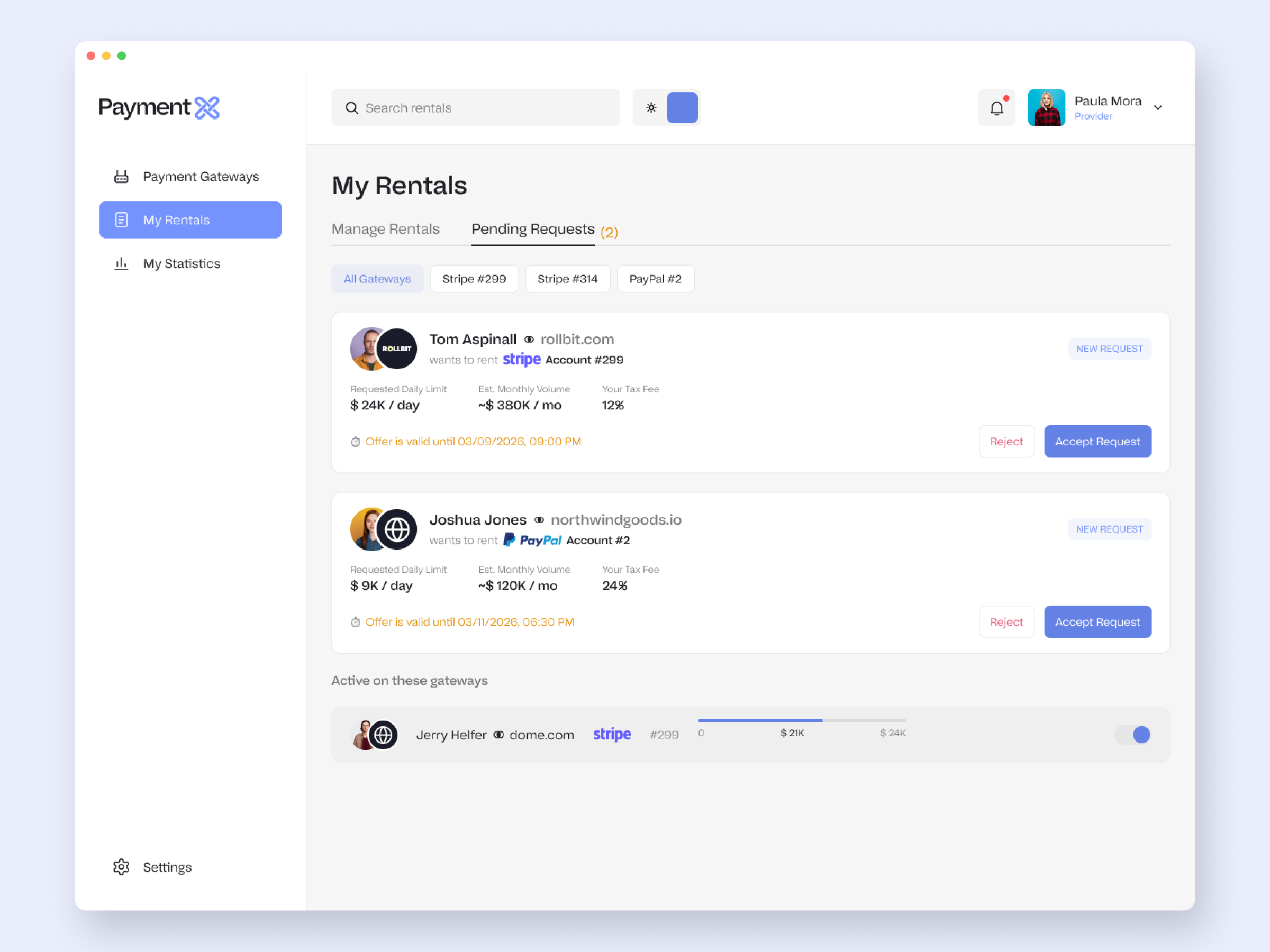
My Rentals splits into Manage and Pending. The Manage tab shows active rentals with daily spend, fees, linked accounts and a toggle; the Pending tab holds incoming requests with Accept / Reject and an offer expiry; an empty state points back to the directory.

The accept confirmation shows the action's consequence, not just text.

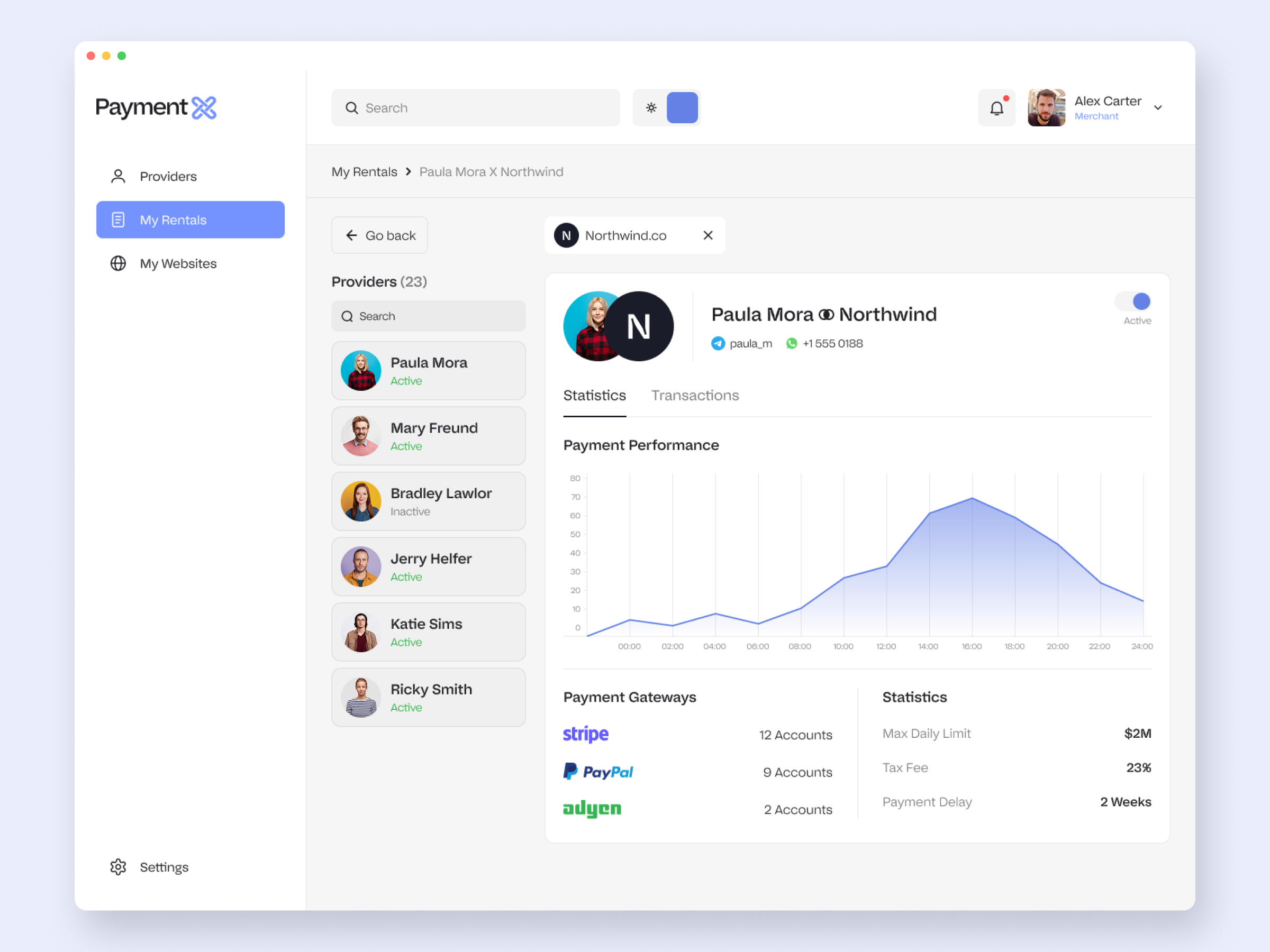
The rental detail, with a stats / transactions split and linked gateways.


6. MERCHANT - ALLOCATION

Putting Capacity to Work

Once a rental is live, the merchant spreads those accounts across their websites, sets per-account caps, and watches the money move. This is the densest part of the product, and the part that most needed to stay calm.

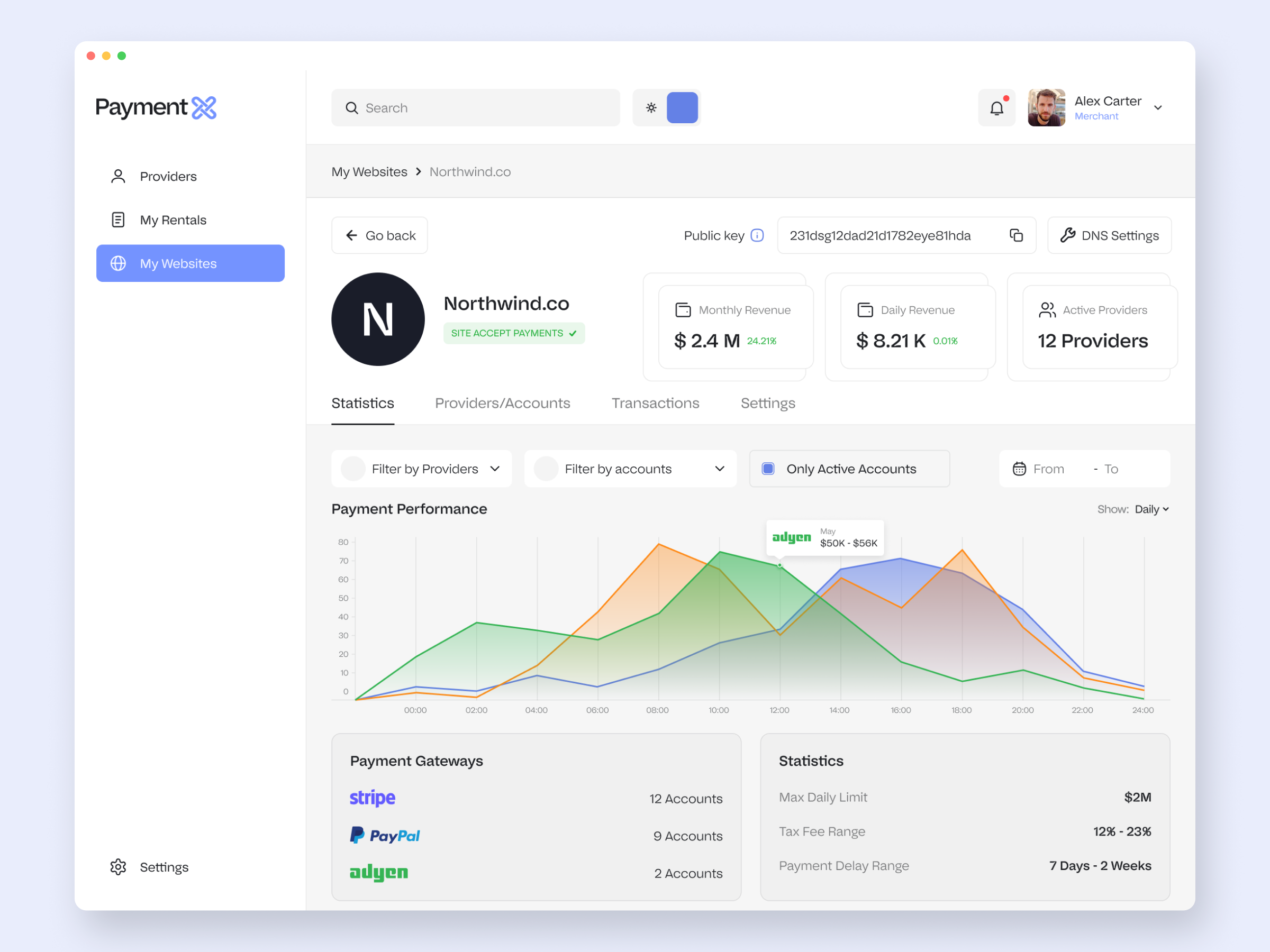
My Websites: status, provider count, daily spend, average fees, plus a "DNS is not configured" warning with a path to fix it.

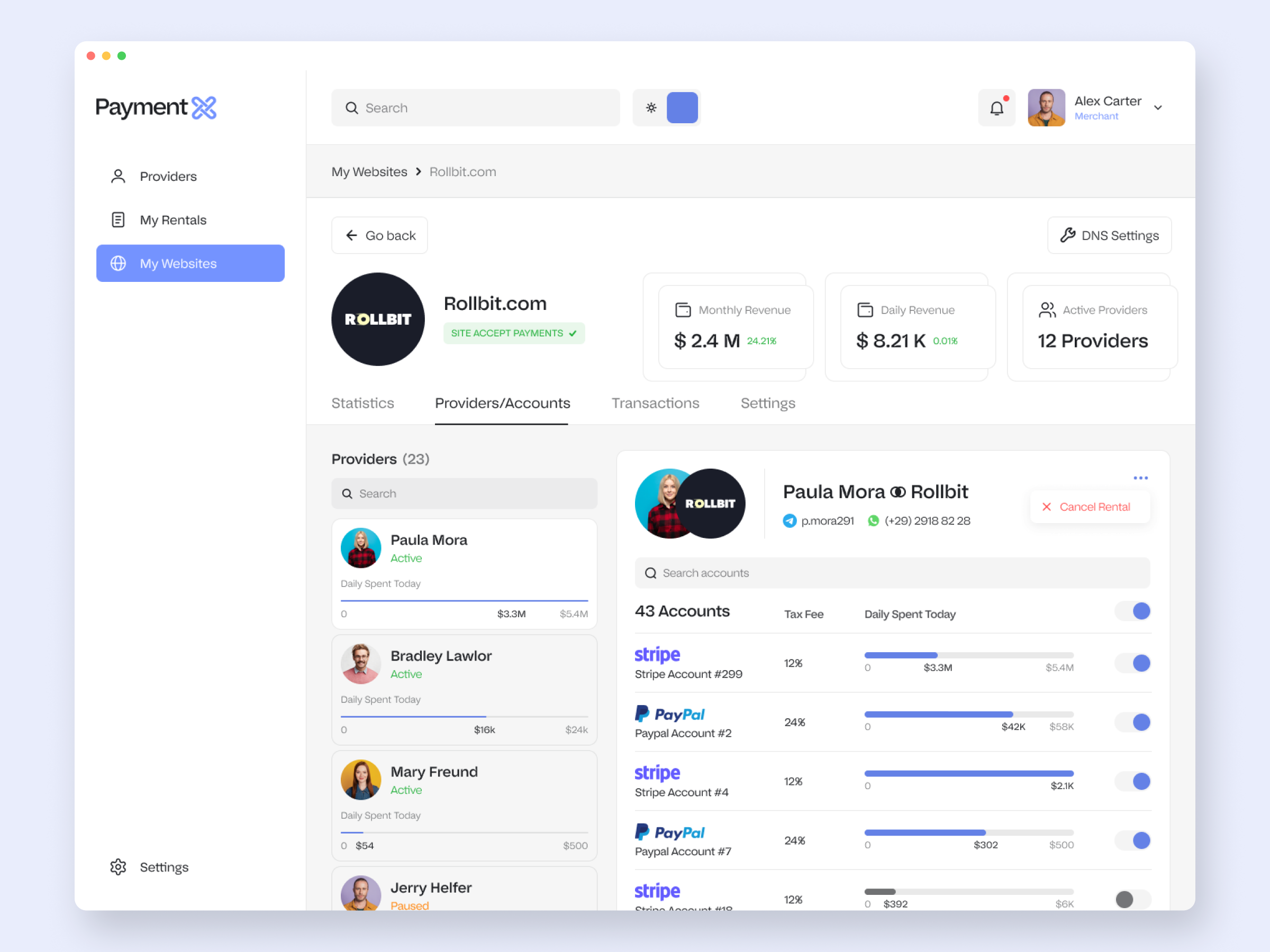
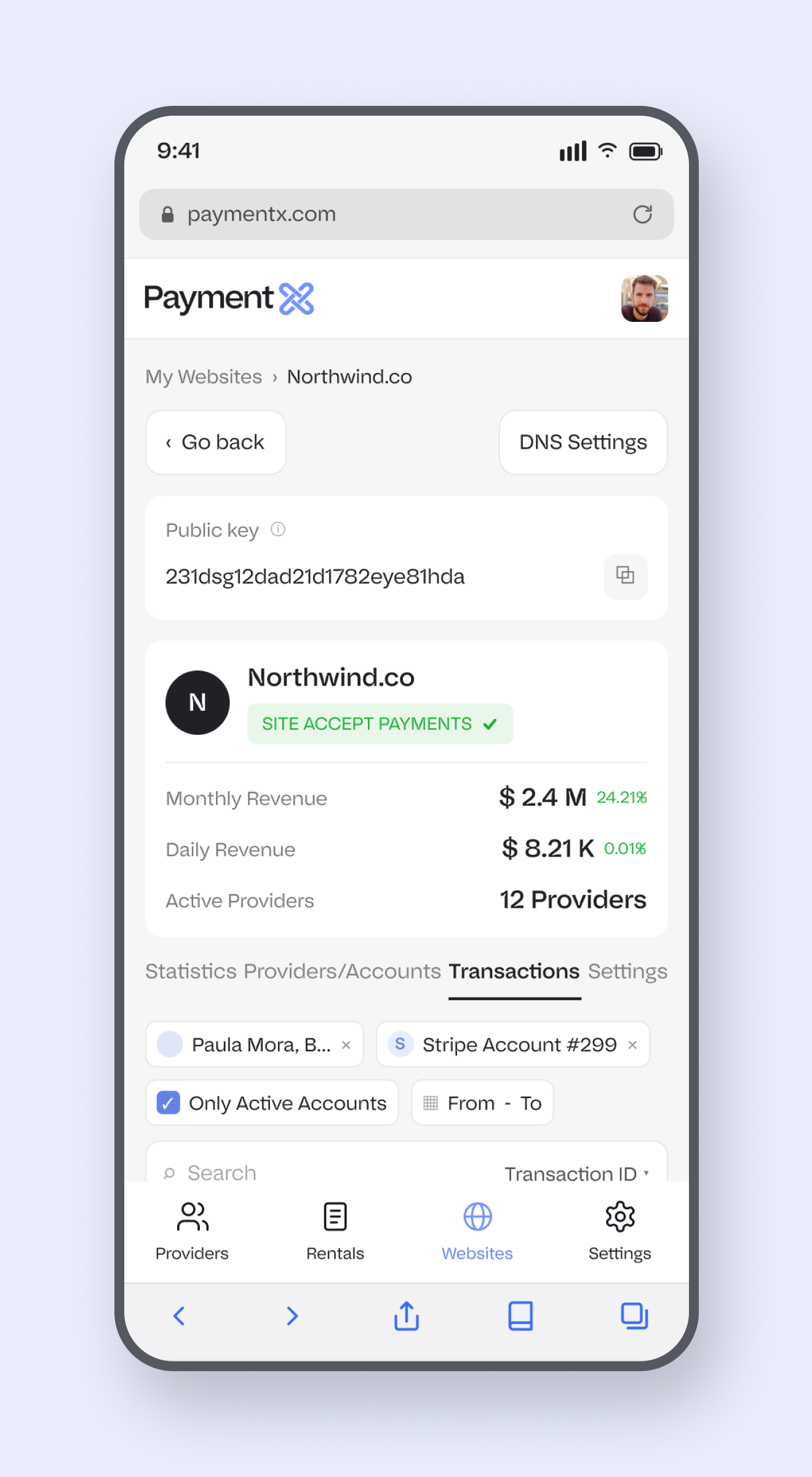
Website detail, Accounts: dozens of gateway accounts, each with a daily-limit slider, live spent-today bar and active toggle. The hard part was keeping this much control legible.

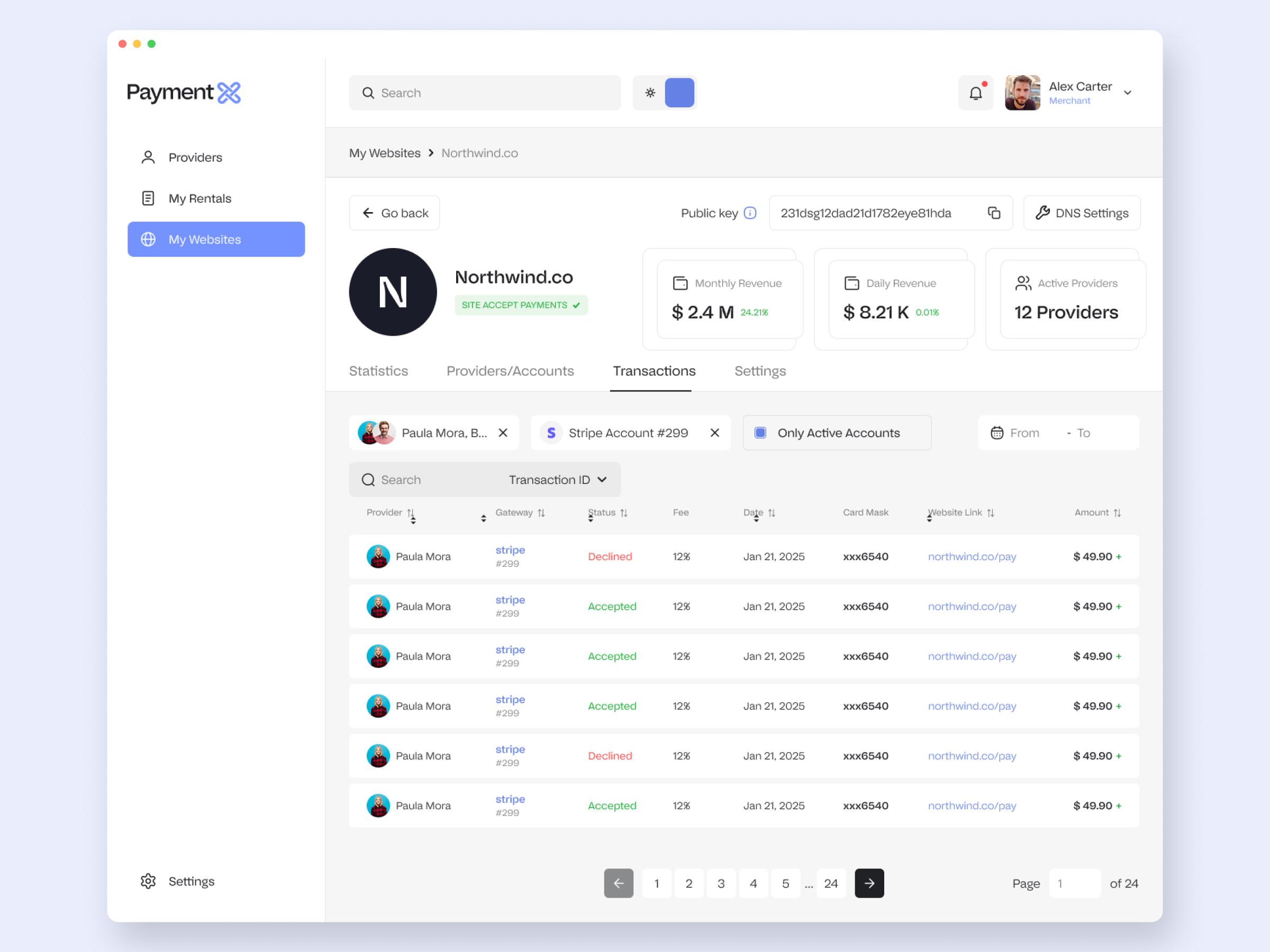
The transactions ledger: provider, gateway, accepted / declined status, fee, masked card, website link, amount and pagination. Dense, but it scans in a second.


7. MERCHANT - ONBOARDING

Adding a Website, Including The Scary Part

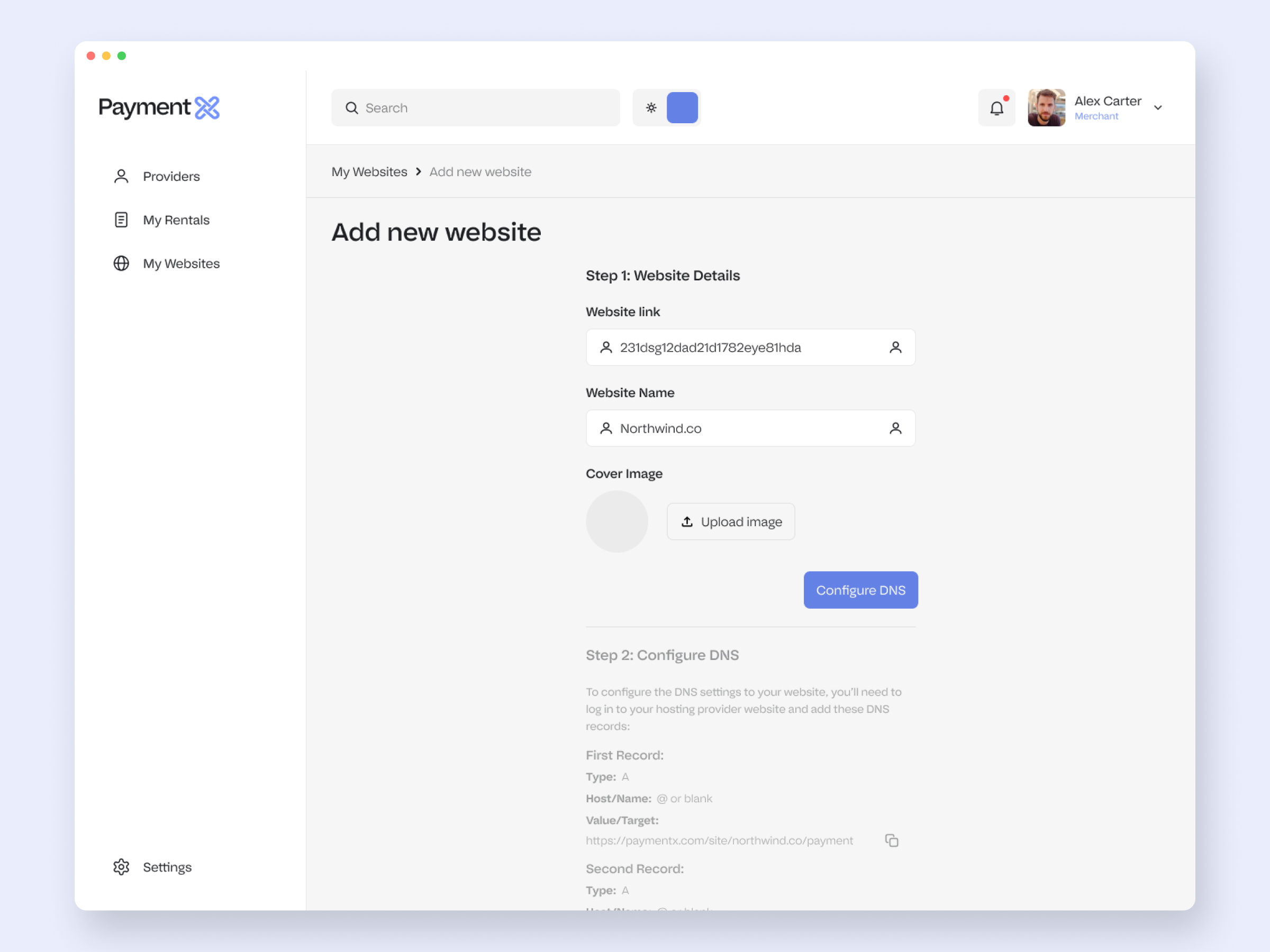
Onboarding means touching DNS, which is exactly where non-technical users freeze. I broke it into three steps and made the technical one feel safe.

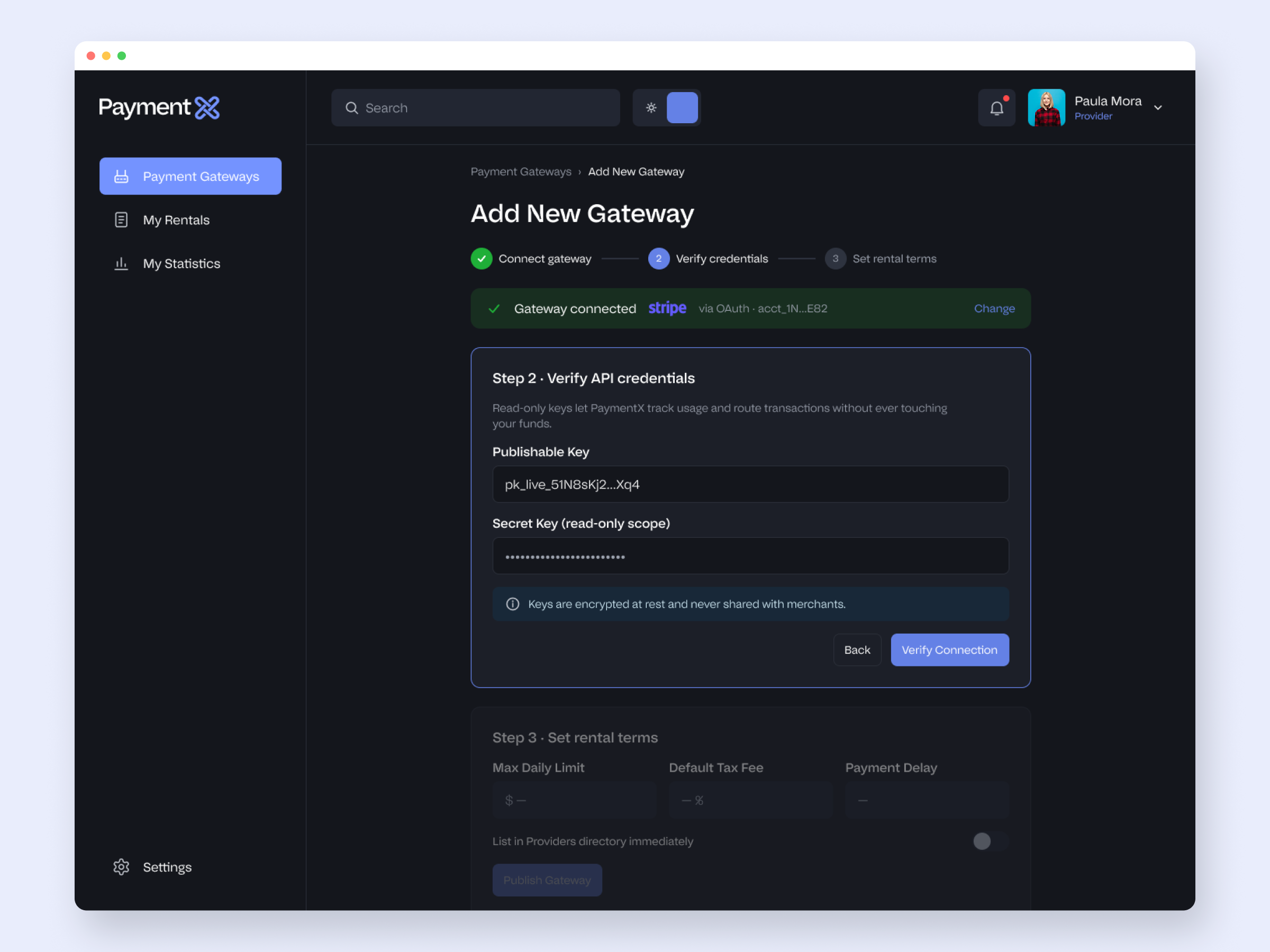
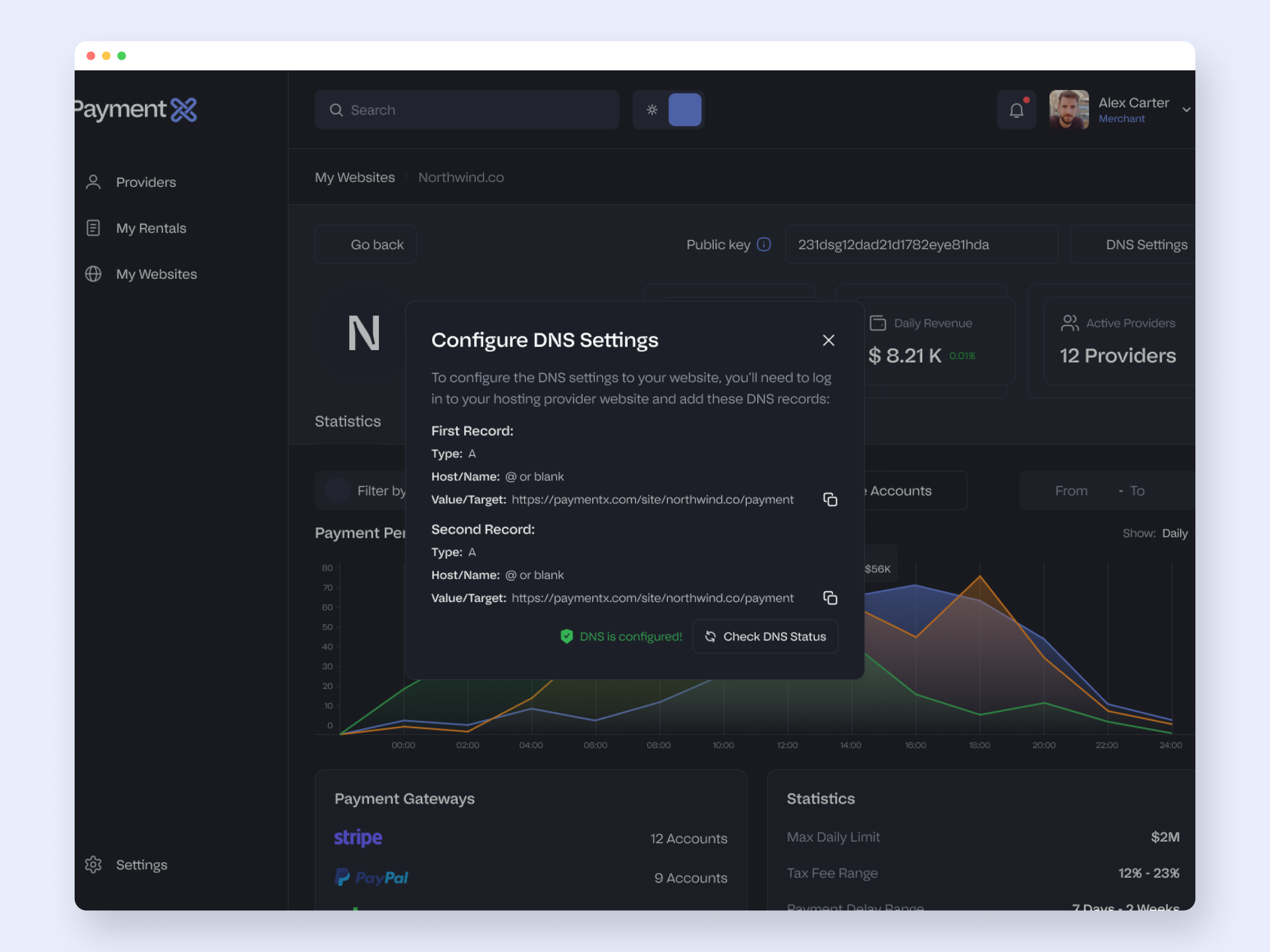
Details, then DNS with two copyable A-records and a verify step, then publish.

Copy-to-clipboard fields and a dedicated confirmation make a technical step feel routine.


8. THE OTHER PART

Designing The Provider

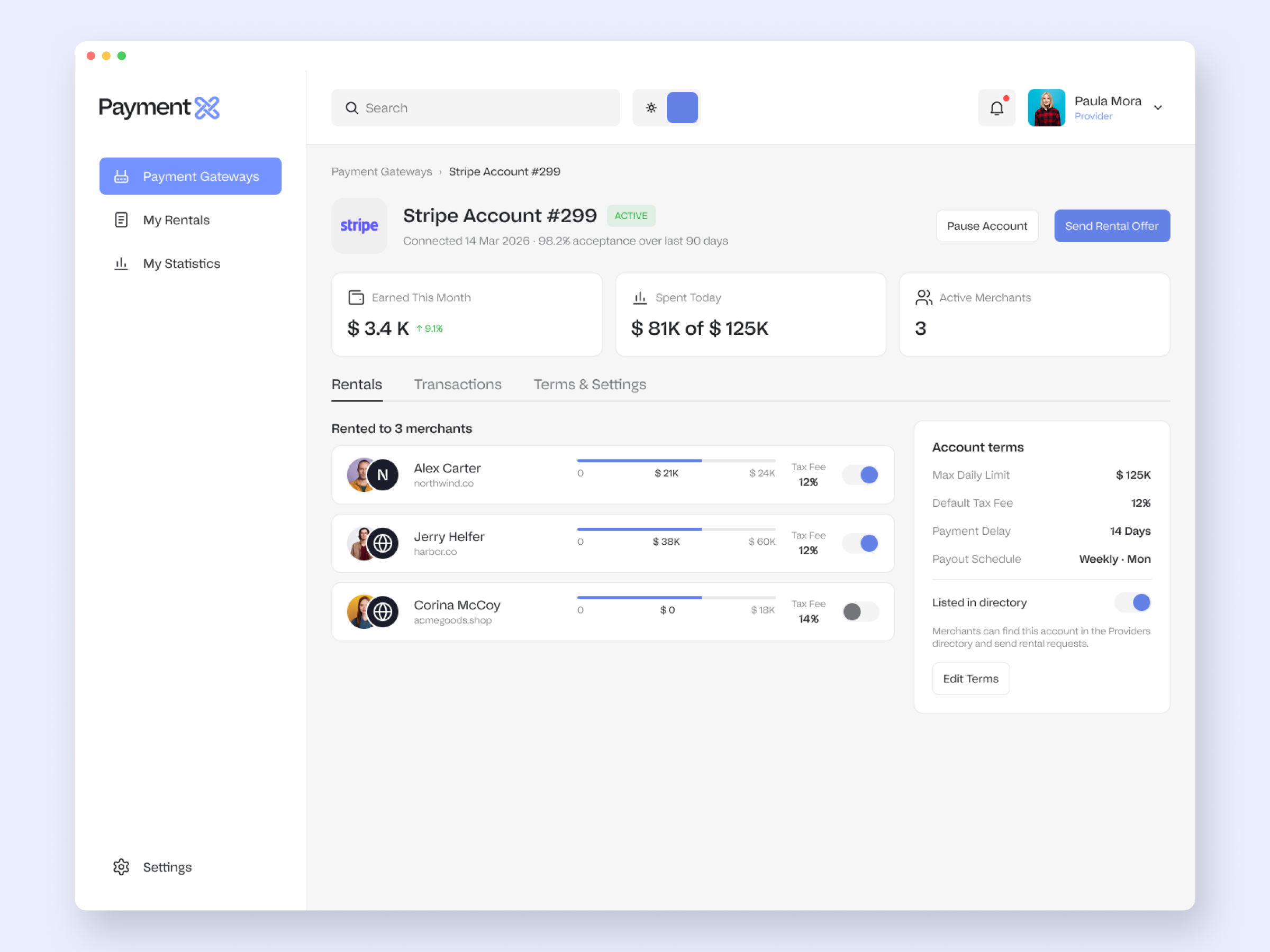
A marketplace is only as good as its supply side. The provider app mirrors the merchant's logic from the other direction: list capacity, target merchants, set terms, allocate, and watch it earn.

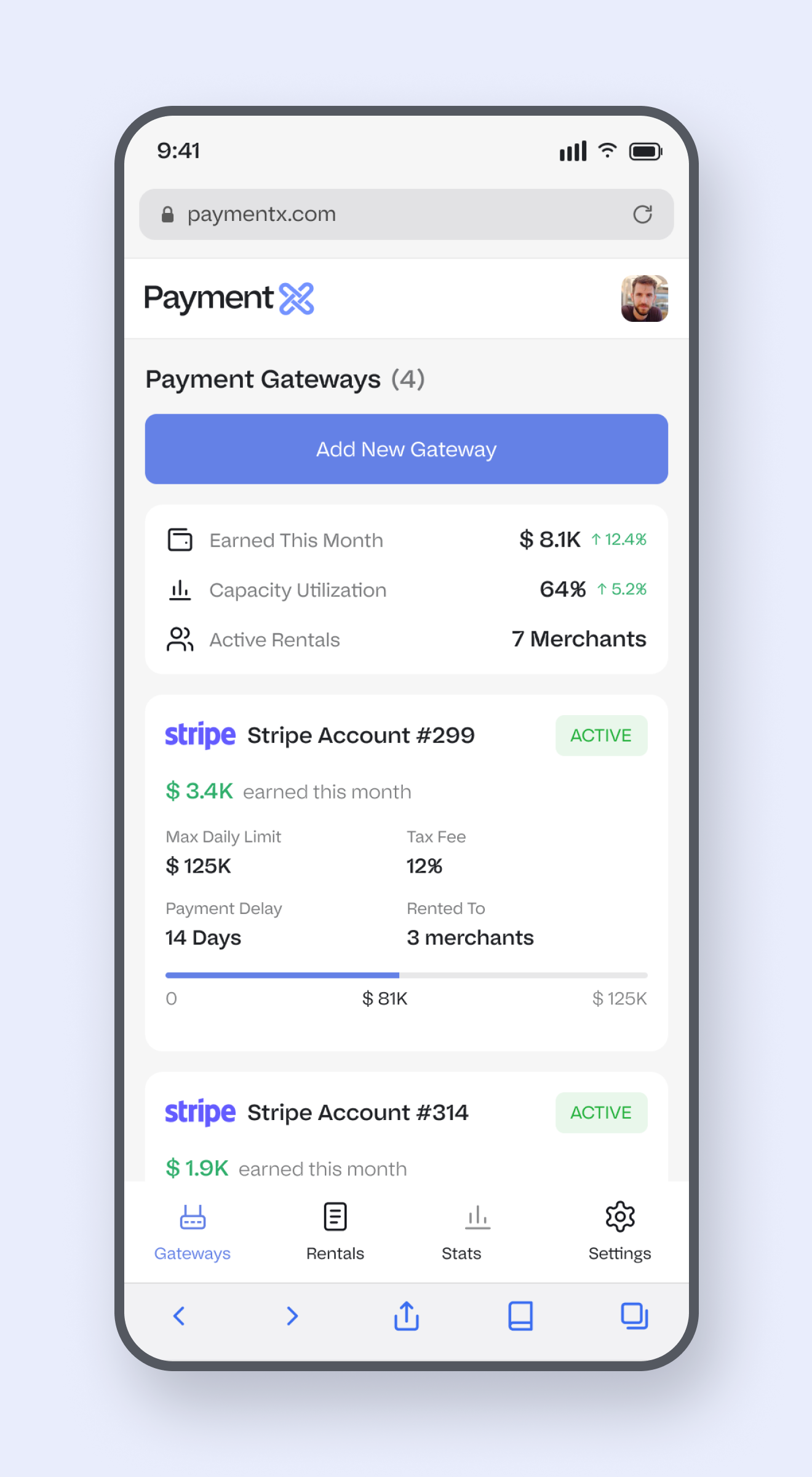
The provider's home: earnings, capacity utilisation and active rentals up top, then each gateway account with its limit, fee, how many merchants it is rented to, and what it earned, including a paused state.

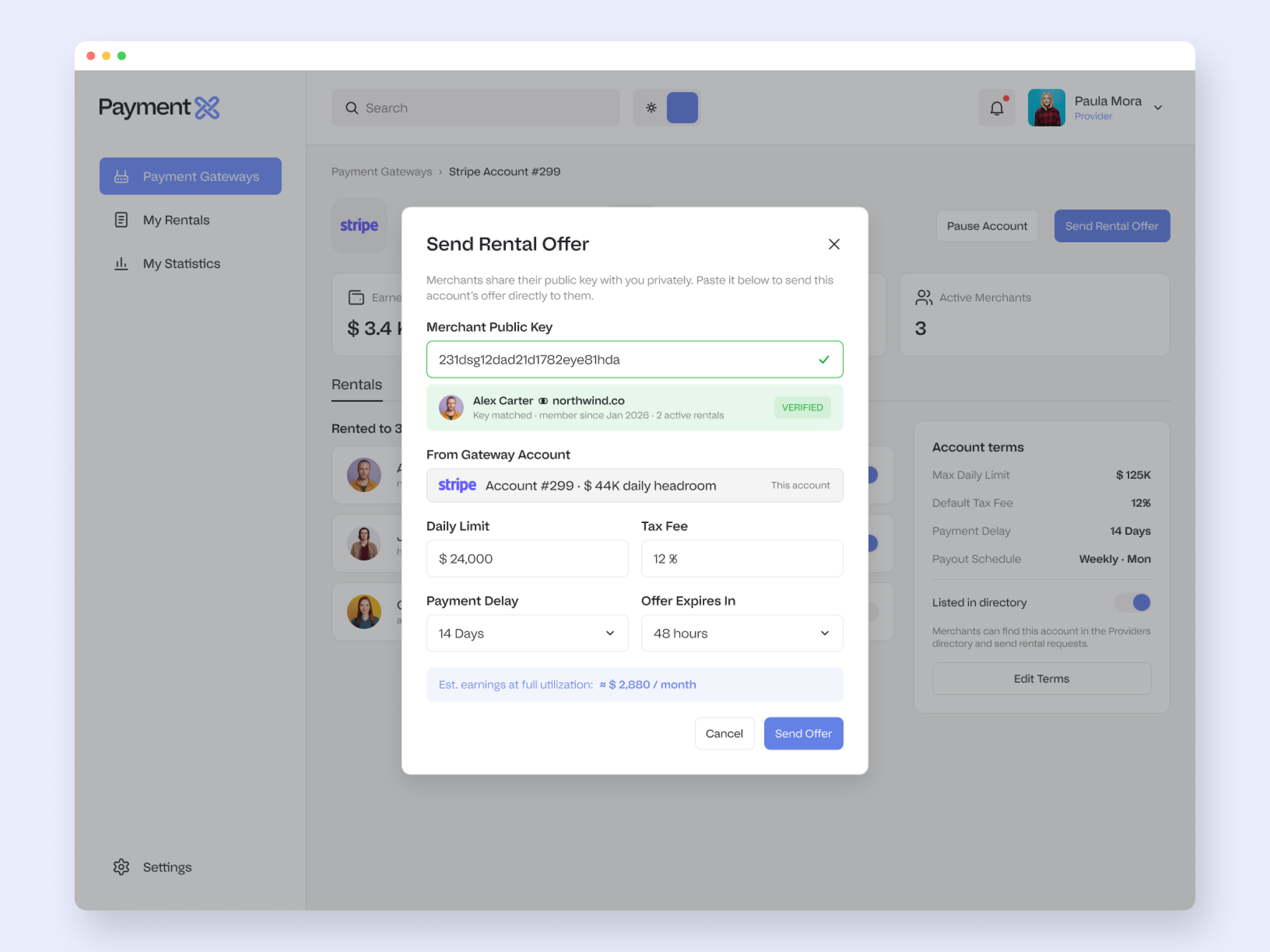
The most interesting provider decision was targeting. There is no open directory of merchants for a provider to browse, which would be a privacy problem. Instead the merchant shares a public key privately, and the provider pastes it into an offer to resolve and verify exactly who they are sending to. The mechanic protects merchants while keeping outreach intentional.

Send Rental Offer: paste a merchant's public key, it resolves to a verified merchant, then set the limit, fee, payment delay and expiry, with estimated earnings shown before sending.

A gateway account's per-merchant allocation and terms panel.

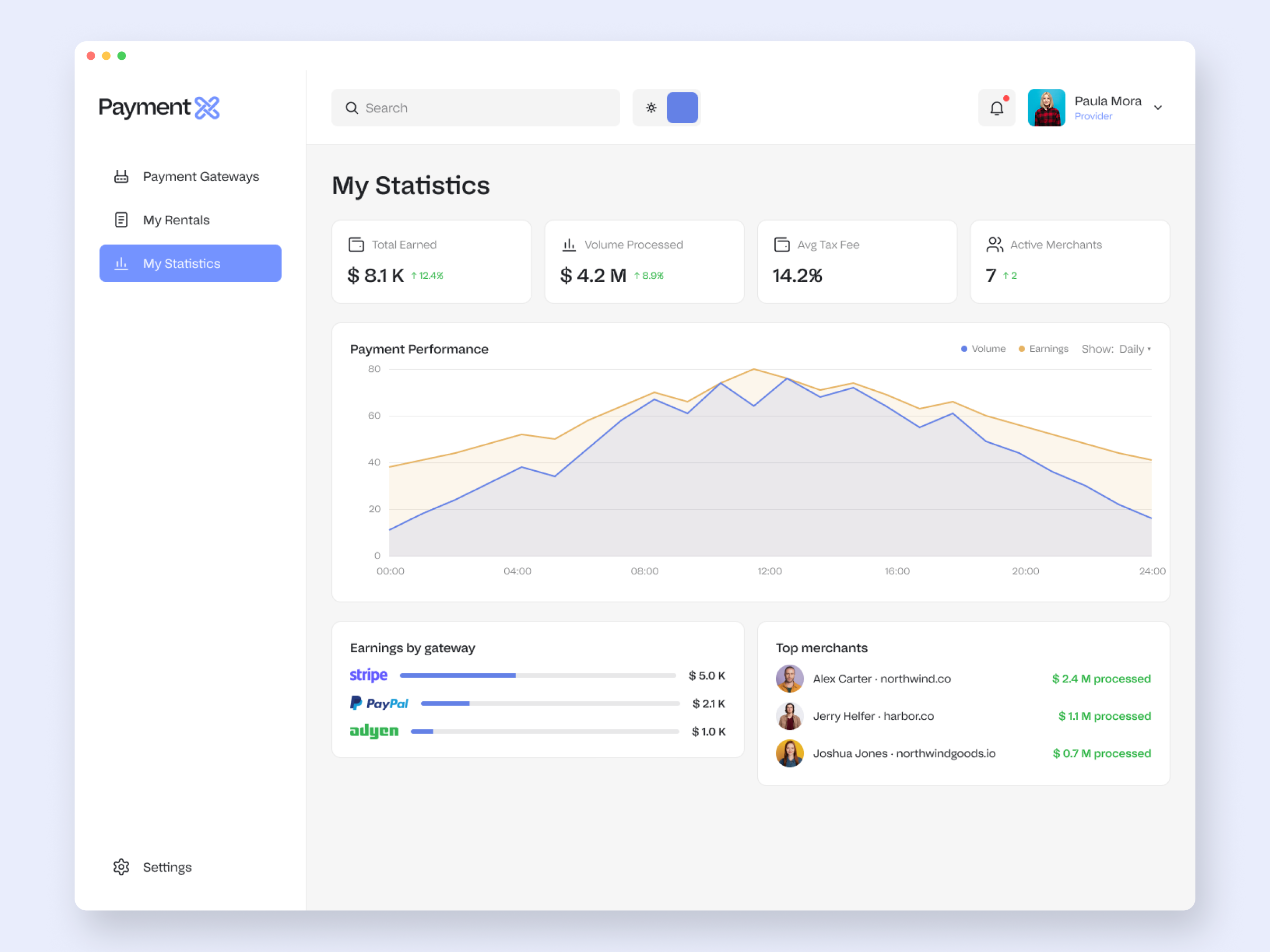
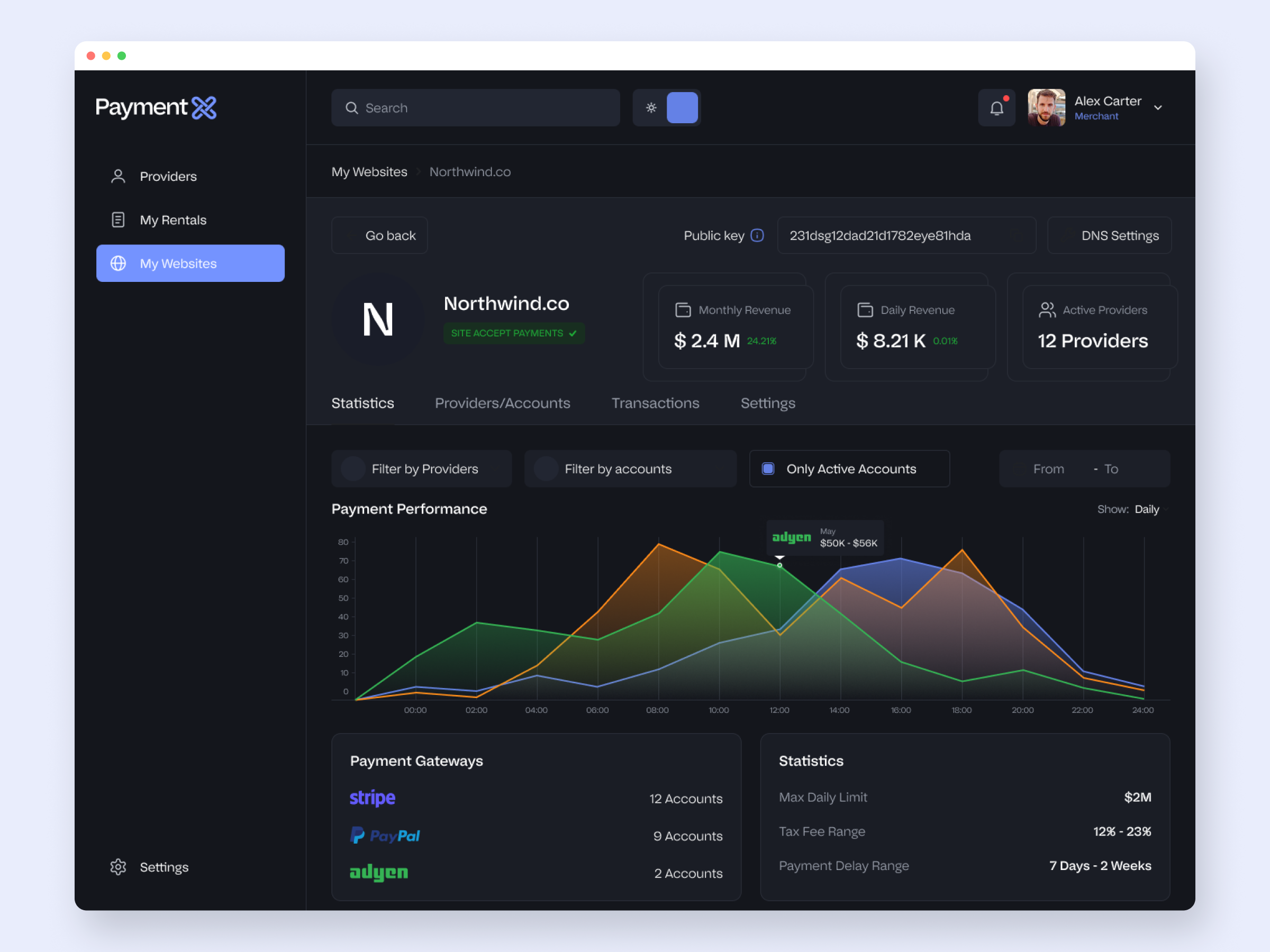
The provider's earnings dashboard, with volume, fees, earnings by gateway and top merchants.


9. STATES

The States Most People Skip

A product is only as finished as its edge states. I designed the confirmations, warnings, empty states and notifications as part of the work, on one consistent overlay system.

Disable Provider Modal

Publish Website Confirmation Modal

Configure DNS Settings Modal

Notifications Modal - Hover State


10. CRAFT

The System Underneath

None of the above stays consistent by hand. Under the screens is a real design system: layered tokens, a component library, and a light, dark and mobile build driven by the same foundations.

Semantic colour tokens with light and dark values, every swatch bound to a variable so a theme switch is a mode change, not a re-paint.

The library is layered the way a real system should be: primitive colour ramps feed semantic light and dark tokens, which feed a component-token tier. That is what makes the same Button behave correctly in both themes without a second set of overrides.

Three tiers, so one change to a primitive ramp ripples through both themes and every component.

The component library in practice: button styles and states built on the component-token tier, so every instance stays consistent across the product.

The same directory in both themes.

The dark variant is not a redraw; it is the same components reading from the dark token set.

Mobile

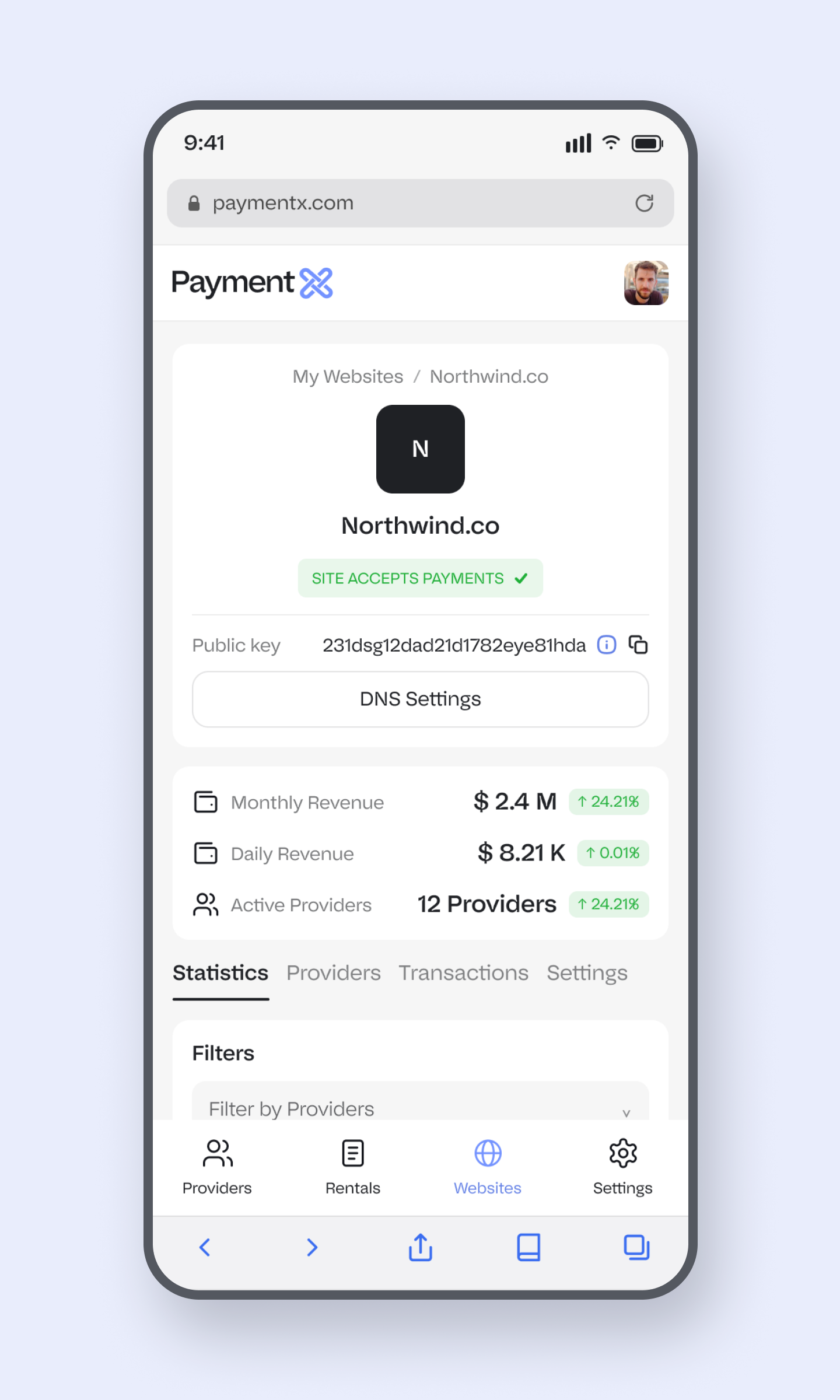
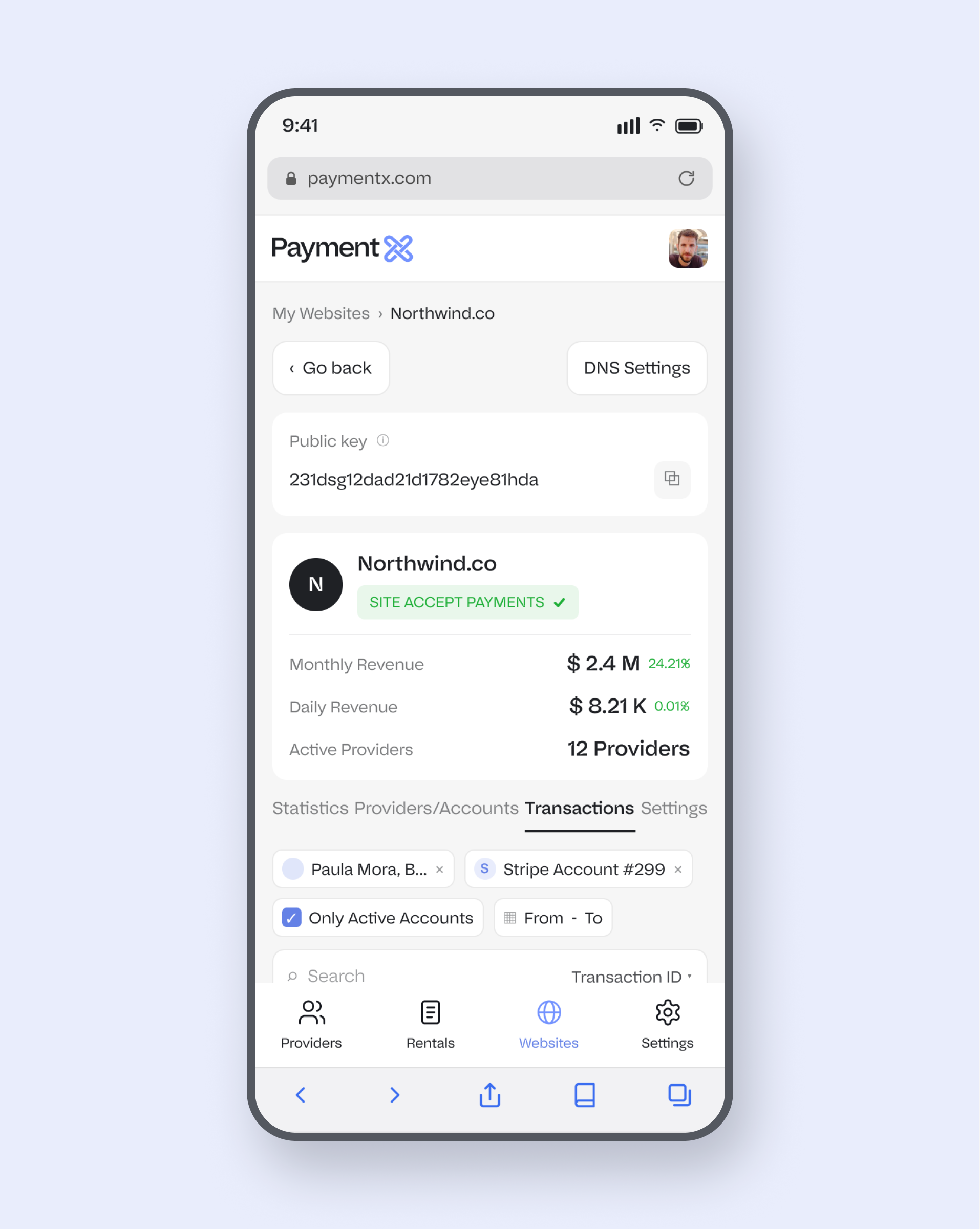
Both apps were designed responsive, with their own bottom-nav chrome rather than a squeezed desktop layout.

Merchant View - Providers

Merchant View - My Websites

Provider View - Payment Gateways

Provider View - My Statistics

60+

SCREENS & STATES DESIGNED

2

APPS, BOTH SHIPPED

3

TIMELINE IN MONTHS


I had to decide what the product was before I could decide what any screen looked like.


11. REFLECTION

What I took from it


Architecture is the real deliverable on a product like this.

The screens are the visible part, but the value was in the model underneath, and in designing both sides of it so the marketplace actually balances. Getting the objects and relationships right early is what made everything downstream coherent, and it is the skill I most want to be hired for. The same systems thinking travels to any dense B2B product.


Being clear-eyed about what the product was for.

The biggest lesson was commercial, not visual. The client disappeared before I was fully paid, and that taught me more about scoping, payment terms and vetting a client than any single design decision did. I will also be straight about the product itself. It helped high-risk merchants route around the limits mainstream processors impose. I am glad I took on the design problem, which was genuinely hard, and I have since moved away from that kind of work. The craft I would still put my name on.

Other Projects

Let’s work together.

Creating user experience and visual appealing design

Follow Me

© 2025 Gmats.me